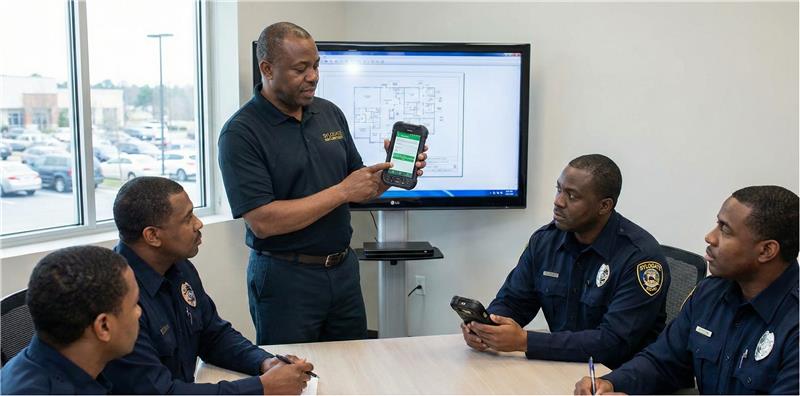
Your estate management system is only as good as those that manage it. The features may be impressive, and the vendor demo may have looked seamless, but none of that matters if the people expected to use the system are not properly equipped to do so.
Estate operations are very routine and can be very sensitive to change. Just like a housekeeper knows the position of all the household items in an apartment due to years of being on the job, the same applies to estate operations. This is why introducing a new system without care can feel more like an interference instead of an improvement. This guide walks you through exactly how to train estate staff on new systems seamlessly.
Where Most Estate Managers Go Wrong
Research on organizational system change shows that a large percentage of change initiatives fail to meet their goals. According to McKinsey research cited by Unboxed Training & Technology, 70% of change programs fail to achieve their goals, largely due to staff resistance and lack of management support.
In estate settings, this pattern is even more pronounced. Resistance is highly common because what people do not understand, they tend to resist. For example, a chef who is used to a manual ordering system for years may not immediately trust a digital inventory tool. This is just normal human psychology.
Another common mistake is an emphasis on speed. Most estate managers rush to roll out new estate systems. Training of staff is often rushed and left for them to use their intuition to figure it out after launch. Enthusiasm alone is not enough to guarantee the success of a new system; adequate structure must be put in place, which involves staff training. Without this, even the best estate system may fail.
Assess Before You Teach
Before any form of staff training, it is only wise to assess staff levels. In most estates, you are managing a wide range of personnel. You might have a head estate manager who already uses property management software confidently. In the same vein, you may also have a long-serving security guard who has relied on handwritten logs for years. To be fair, if both sit through the same training at the same pace, one will feel insulted and the other overwhelmed.
This is why the most ideal starting point is a simple evaluation. It does not necessarily need to be formal or intimidating. A short questionnaire that evaluates that current skillset will suffice. Can they log into a system independently? Navigate a dashboard? Upload a photo? Reset a password? These small indicators tell you everything about where to begin. This helps to tailor your approach. Evaluation helps you identify basic users, intermediate users, and power users. Identification helps you tailor your teaching approach to match a specific group. Not everyone needs to learn every feature; only the ones they'll actually use day-to-day.
Don't Spring It on Them: Give Notice and Explain Why
There are several things you can surprise your staff with; springing a new system on them isn’t one. Introducing new software and discontinuing old processes can easily unsettle staff. EdgePoint Learning advises giving staff advance notice with clear rollout deadlines while explaining why the change is happening. Staff are far more likely to embrace a new household management platform, visitor tracking tool, or maintenance scheduling system when they understand what problem it solves for them. So instead of saying something like “This platform enhances accountability,” say, “You will see exactly who is assigned to each task so there is less confusion.” When staff can see how the system reduces their burden, resistance softens. It becomes less about management modernization and more about personal ease.
Make Use of Your Super Users
Evaluation helps you identify your basic, intermediate, and power users. However, it makes little sense to have to train these groups individually. Instead, identify one or two super users and use them to keep the rest of the staff abreast with the system. NextStep Solutions describes super users as those who learn about the system inside and out, provide tips and shortcuts to colleagues, and serve as the first point of contact for questions. A super user must be patient, easily approachable, and above all trusted by other staff. They're trusted peers who make learning feel less intimidating. They are team influencers that spread adoption organically within the team. A super user can be anybody, from the IT lead down to the gatekeeper. Ideally, the first line questions go to super users before they are escalated to the estate leads.
Train the Way People Actually Learn
You complained about the learning methods of your school teachers when you were a student. Now, you want to teach others using that same format? A four-hour teaching session is rarely the answer. EdgePoint Learning research shows that long lecture-based training fails to build practical, applicable skills as it only makes employees absorb theory they can't execute.
The best method is to use a blended learning approach tailored to how estate staff actually work:
Microlearning videos: For quick, focused walkthroughs of specific features (e.g., how to log a maintenance request)
Hands-on sandbox practice: Let staff use a test version of the system with no real-world consequences to familiarize themselves with the new system
On-the-job training: Here, staff practice using the system while completing real tasks alongside a super user. Watching someone complete a real task while explaining it builds far more confidence than watching slides.
Quick reference guides: Not everyone will remember every step immediately. Provide simple, clear reference guides in staff areas for easy lookup (e.g., how to clock in, how to submit an inventory report)
Microlearning is effective for new technology because it gets staff up to speed fast without overwhelming them with features they won't use.
Focus on the First 90 Days
Training and assessment doesn’t end on launch date. In fact, that is only the starting point. Successful system adoptions always include structured follow-ups. The first 90 days after a new system launch is very pivotal and must be tracked intentionally. Ensure check-ins at 30, 60, and 90 days post-rollout to assess progress, address lingering questions, and reinforce key habits.
For estate teams, this might look like:
A brief weekly check-in during staff meetings for the first month. This is critical for habit formation. Ask what is working. Ask what feels confusing. Invite super users to share tips or blockers they have discovered.
A short quiz or walkthrough assessment at 60 days to identify knowledge gaps. This signals a move from encouragement to evaluation. Ask staff to demonstrate how they complete a core task in the system. This is critical in spotting gaps.
A performance review element at 90 days measuring system usage and proficiency. This stage is for measuring overall performance with the new software/system.
A structured first 90 days like this helps to stabilize adoption. The system moves from being just a new software to an integral part of the estate operation.
Conclusion
Training estate staff on new systems is seamless when done using the right approach. With the right structure and people leading the charge, even the most change-resistant team can become confident, capable users. Technology will continue to evolve, and new tools will enter estate operations. This is why estate managers must look to implement the right approach when training staff on new systems.
Tags
Tips and Guides
Updates


SYLOGATE
An Estate Management Software Company.
Simplify complexity and manage multiple residents and visitors from a single platform.